
On this page
Capture Queue & Duplicates
Every capture runs through a queue, so you can line up as many pages as you like and keep using the app. A status bar at the bottom edge shows what's happening.
The capture queue
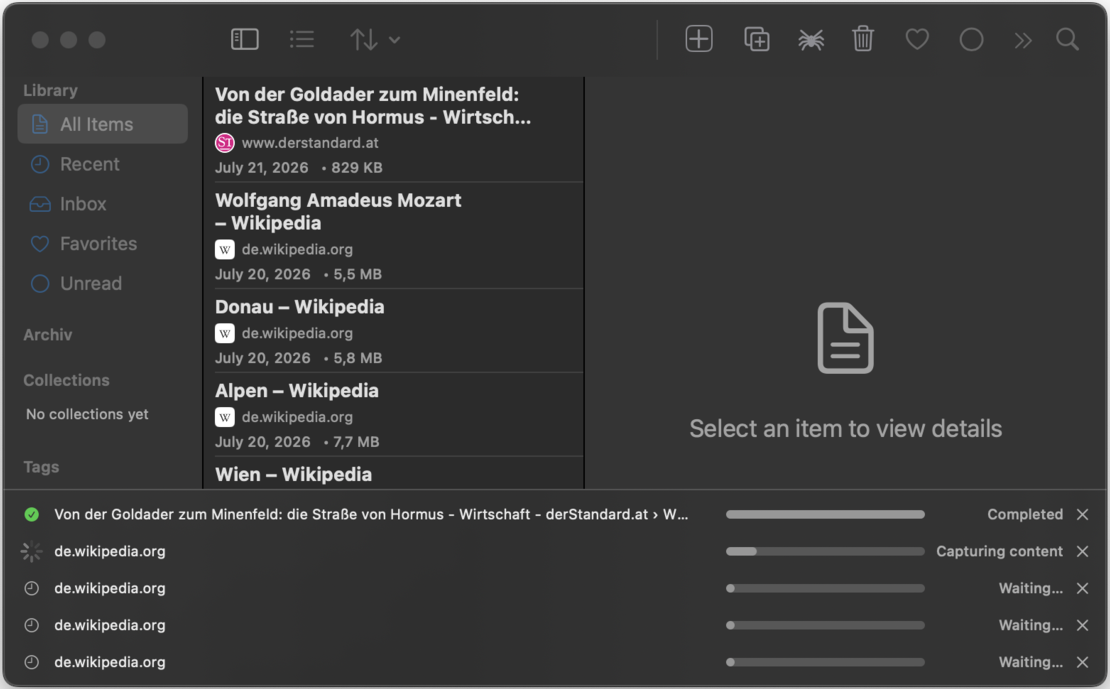
The status bar shows up to five captures at once, each with the page title, its host, a progress bar and the current phase. Captures run one after another; queued ones wait their turn. When everything is done, the bar disappears by itself.
Capture phases
A capture goes through several phases, visible live in the queue row:
- Loading: the page is opened in the invisible capture browser.
- Waiting for content: dynamic pages get time to render.
- Lazy loading: the engine scrolls so images and sections that load on demand actually appear.
- Network idle: waits until the page has stopped fetching resources.
- Cookie consent: consent banners are detected and handled.
- Inlining: styles, fonts and images are embedded into the archive.
- Saving: the finished file lands in your library.
Row actions: retry, cancel, fix
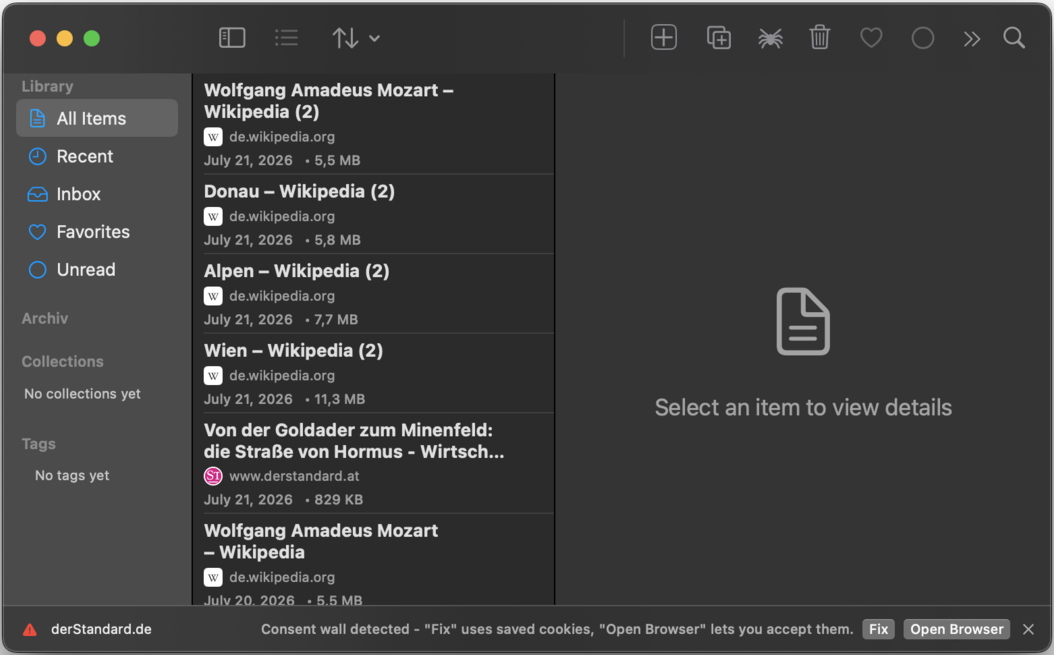
Depending on its state, each row offers actions:
- Cancel / Remove: stop a running capture or clear a finished row.
- Retry: run a failed capture again.
- Fix / Open Browser: appears when a consent wall blocked the content (see Logins & Cookies).
- Save Duplicate: appears when the page turned out to be one you already archived (see below).
Duplicate detection
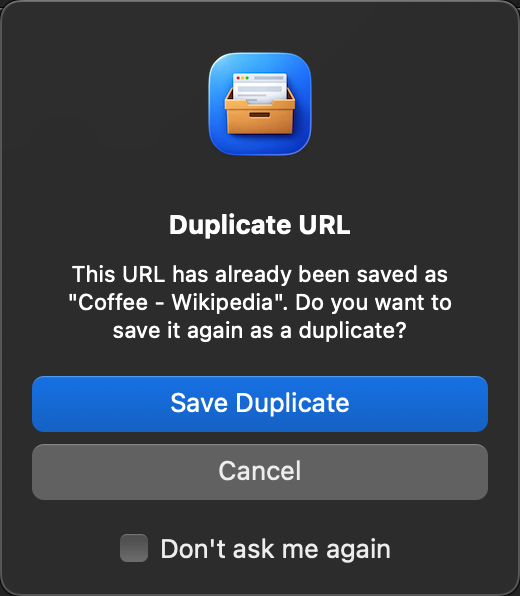
WebsiteArchiver checks new captures against your library:
- Before capturing: if the URL is already in your library, a dialog asks whether to save a duplicate anyway or cancel. On macOS you can choose "Don't ask again".
- During capture: some duplicates only become visible after redirects (short links, tracking URLs, moved pages). These are caught in the queue: the row is marked as a duplicate and offers Save Duplicate if you want a second copy.
Prefer no questions at all? Enable Settings → Capture → Save duplicates without asking.
Saving a page a second time is a feature, not a mistake: each capture is an independent snapshot, so you can keep multiple versions of a page as it changes over time.
Background capture on iOS iOS
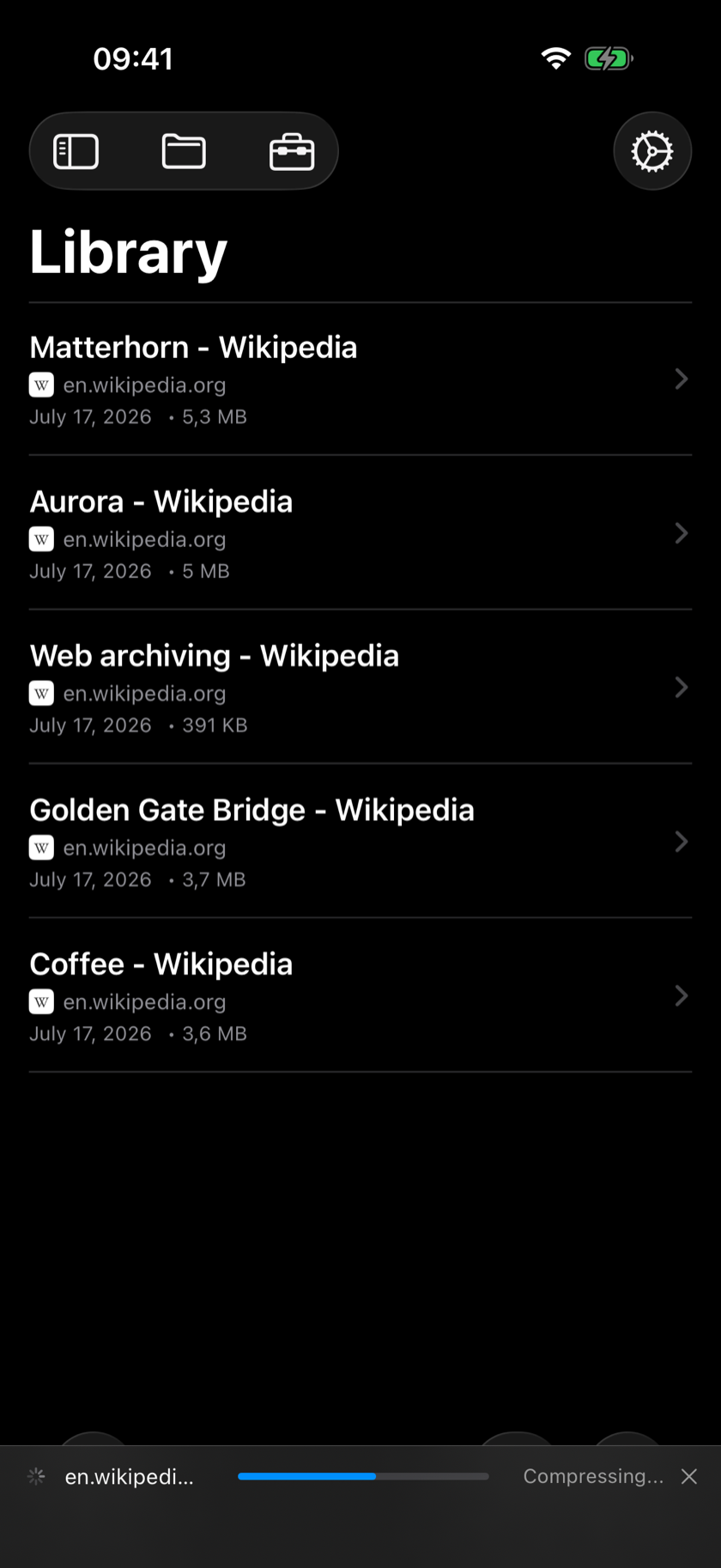
On iPhone and iPad, captures don't need the app to stay in front:
- Switching to another app? The capture keeps running in the background until it finishes.
- If iOS gets tight on memory during a heavy page, the capture is automatically re-queued and retried.