On this page
Free Version, Purchase & Licensing
WebsiteArchiver is a one-time purchase: no subscription, no account. On the Mac you can try everything first; the free version simply caps how much you can save.
The free version macOS
The free version is the full app with a size limit: up to 10 saved items. When the limit is reached:
- new captures prompt you to unlock,
- the crawler is limited to depth 1 and your remaining free items,
- and iCloud sync stays locked until the full version.
The limit counts what's currently in your library. Deleting an item frees its slot again. And everything you save in the free version carries over untouched when you unlock.
Mac App Store: Lifetime unlock
If you installed from the Mac App Store, unlock with the one-time Lifetime in-app purchase, either from the prompt at the limit or via Settings → License. Reinstalled or new Mac? Restore Purchases brings the unlock back through your Apple account.
Direct download: license keys
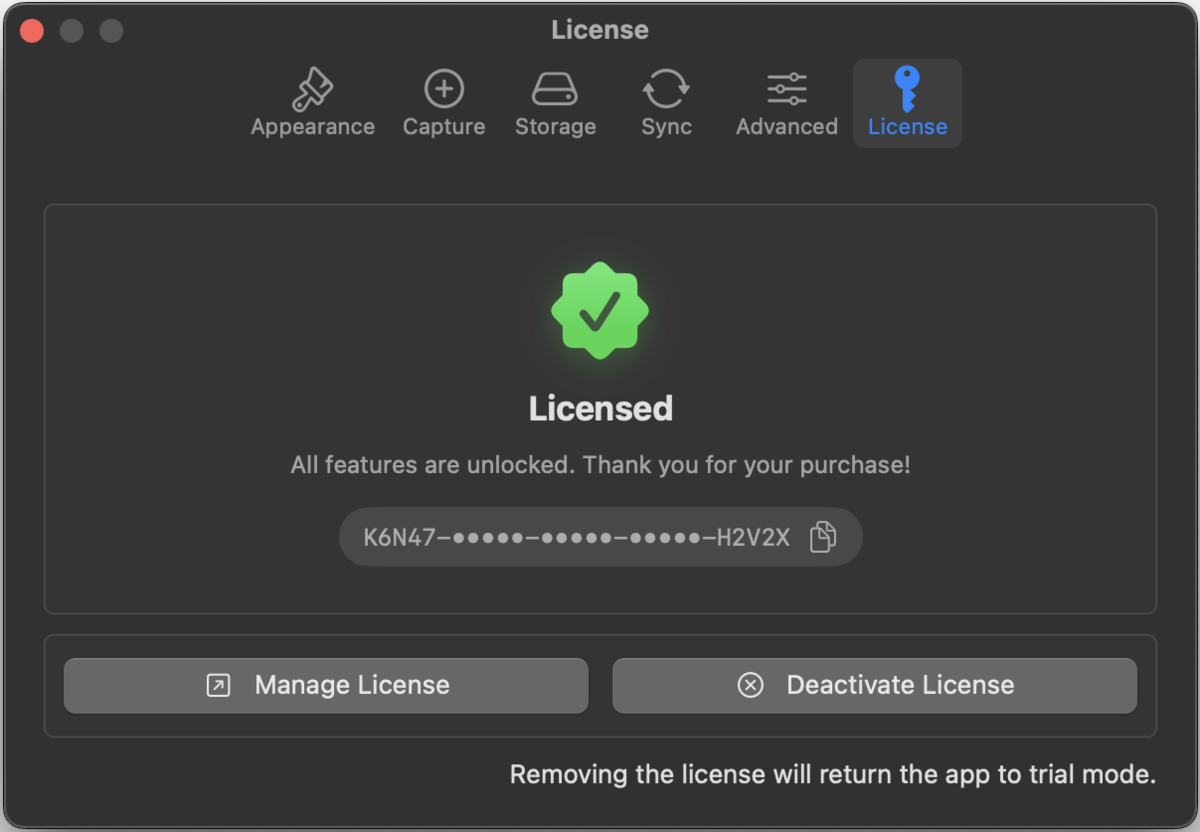
The version from websitearchiver.net uses classic license keys:
- Buy a key via the Buy Now page.
- Activate it under Settings → License: paste the key, done. The same pane shows your trial status beforehand.
- One key is good for up to 3 Macs. Need it on a fourth machine? Deactivate the key on one Mac (same pane) to free the seat.
Keys are verified offline with cryptographic signatures. Activation works without an account and without a permanent internet connection.
The iOS app iOS
WebsiteArchiver for iPhone and iPad is a separate, paid-upfront app on the App Store: one price, everything included. No free limit, no in-app purchases, no license pane, and iCloud sync is included.
Mac and iOS are separate purchases (they are different apps on different stores), but they share one library via iCloud sync.